

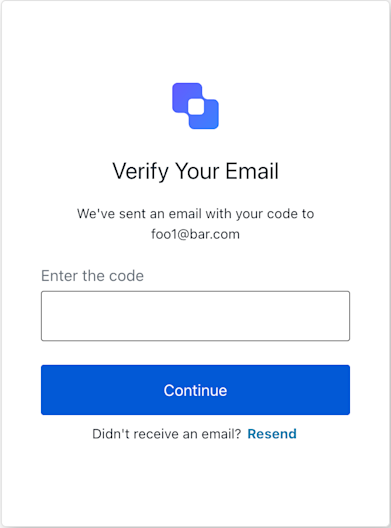
continueWithCode) or
to request a new code if the original one was not received or has expired (resendCode).
Inherits from BaseContext to access shared authentication flow data like
transaction state, client information, and internationalization texts.
Example
Constructors
Constructor
Creates an instance of the
LoginEmailVerification screen manager.
The constructor initializes the BaseContext, which involves parsing theProperties
string
The unique identifier for the Login Email Verification screen.
This static property is used by the SDK’s
BaseContext to ensure that the
class is instantiated in the correct screen context.Methods
Promise<void>
Submits the email verification code entered by the user to Auth0.
This method prepares and posts the form data, including the verification code
and the required
action: "default", to the /u/login-email-verification endpoint.A promise that resolves once the form submission is initiated.
Typically, a successful submission leads to a server-side redirect.
If the code is incorrect or an error occurs, the page will
re-render, and this.transaction.errors will be populated.Throws
If thepayload.code is missing or not a string. It can also
throw if FormHandler encounters an issue during submission (e.g. network error).
Auth0 validation errors (e.g. “invalid-code”) are not thrown as JS errors
but are made available in this.transaction.errors post-operation.Example
Retrieves the array of transaction errors from the context, or an empty array if none exist.An array of error objects from the transaction context.
Promise<void>
Requests Auth0 to send a new verification code to the user’s email address.
This is typically used when the user didn’t receive the original code, or it has expired.
This method posts form data with
action: "resend-code" to the
/u/login-email-verification endpoint.A promise that resolves once the resend request is initiated.
A successful request usually means a new email is dispatched.
The page might re-render, and this.transaction.errors could
be updated if, for example, rate limits (too-many-emails) are hit.Throws
IfFormHandler encounters an issue (e.g. network error).
Server-side validation errors (e.g. rate limits) are not thrown
as JS errors but are made available in this.transaction.errors.Example
Utility FeatureGets resend functionality with timeout management for this screenResendControl object with startResend methodExample