> ## Documentation Index
> Fetch the complete documentation index at: https://auth0.generaltranslation.app/llms.txt
> Use this file to discover all available pages before exploring further.
# DeviceCodeActivation
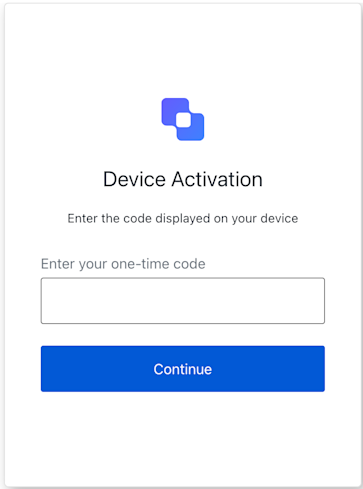 Class implementing the Device Code Activation screen functionality.
This screen is displayed when the user needs to enter the code on their device to activate it.
```ts Example theme={null}
import DeviceCodeActivation from '@auth0/auth0-acul-js/device-code-activation';
const deviceCodeActivationManager = new DeviceCodeActivation();
async function activateDeviceCode(code) {
try {
await deviceCodeActivationManager.continue({ code });
console.log('Device code activation successful.');
} catch (error) {
console.error('Error during device code activation:', error);
}
}
```
## Constructors
Creates an instance of the DeviceCodeActivation screen.
## Properties
BrandingMembers} />
ClientMembers} />
OrganizationMembers} />
PromptMembers} />
ScreenMembers} />
TenantMembers} />
TransactionMembers} />
UntrustedDataMembers} />
UserMembers} />
## Methods
Submits the device code entered by the user.
This action is triggered when the user enters the code displayed on their device and submits the form.
A promise that resolves when the code is successfully submitted.
```typescript Example theme={null}
import DeviceCodeActivation from '@auth0/auth0-acul-js/device-code-activation';
const deviceCodeActivationManager = new DeviceCodeActivation();
async function activateDeviceCode(code) {
try {
await deviceCodeActivationManager.continue({ code });
console.log('Device code activation successful.');
} catch (error) {
console.error('Error during device code activation:', error);
}
}
```
Rejects with an error if the submission fails.
DeviceCodeActivationContinueOptions}>
An object containing the code entered by the user and any custom payload.
**Properties**
Error[]}>
Retrieves the array of transaction errors from the context, or an empty array if none exist.
An array of error objects from the transaction context.
Class implementing the Device Code Activation screen functionality.
This screen is displayed when the user needs to enter the code on their device to activate it.
```ts Example theme={null}
import DeviceCodeActivation from '@auth0/auth0-acul-js/device-code-activation';
const deviceCodeActivationManager = new DeviceCodeActivation();
async function activateDeviceCode(code) {
try {
await deviceCodeActivationManager.continue({ code });
console.log('Device code activation successful.');
} catch (error) {
console.error('Error during device code activation:', error);
}
}
```
## Constructors
Creates an instance of the DeviceCodeActivation screen.
## Properties
BrandingMembers} />
ClientMembers} />
OrganizationMembers} />
PromptMembers} />
ScreenMembers} />
TenantMembers} />
TransactionMembers} />
UntrustedDataMembers} />
UserMembers} />
## Methods
Submits the device code entered by the user.
This action is triggered when the user enters the code displayed on their device and submits the form.
A promise that resolves when the code is successfully submitted.
```typescript Example theme={null}
import DeviceCodeActivation from '@auth0/auth0-acul-js/device-code-activation';
const deviceCodeActivationManager = new DeviceCodeActivation();
async function activateDeviceCode(code) {
try {
await deviceCodeActivationManager.continue({ code });
console.log('Device code activation successful.');
} catch (error) {
console.error('Error during device code activation:', error);
}
}
```
Rejects with an error if the submission fails.
DeviceCodeActivationContinueOptions}>
An object containing the code entered by the user and any custom payload.
**Properties**
Error[]}>
Retrieves the array of transaction errors from the context, or an empty array if none exist.
An array of error objects from the transaction context.