> ## Documentation Index
> Fetch the complete documentation index at: https://auth0.generaltranslation.app/llms.txt
> Use this file to discover all available pages before exploring further.

> Describes how to set up database connections for applications using the Auth0 Dashboard.

# Set Up Database Connections

You can set up database connections for applications using the <Tooltip tip="Auth0 Dashboard: Auth0's main product to configure your services." cta="View Glossary" href="/docs/glossary?term=Auth0+Dashboard">Auth0 Dashboard</Tooltip>. The configured database connections can be used to log in to your application. To set up a connection, follow the steps below.

<AccordionGroup>
  <Accordion icon="circle-1" title="1 Start at Auth0 Dashboard">
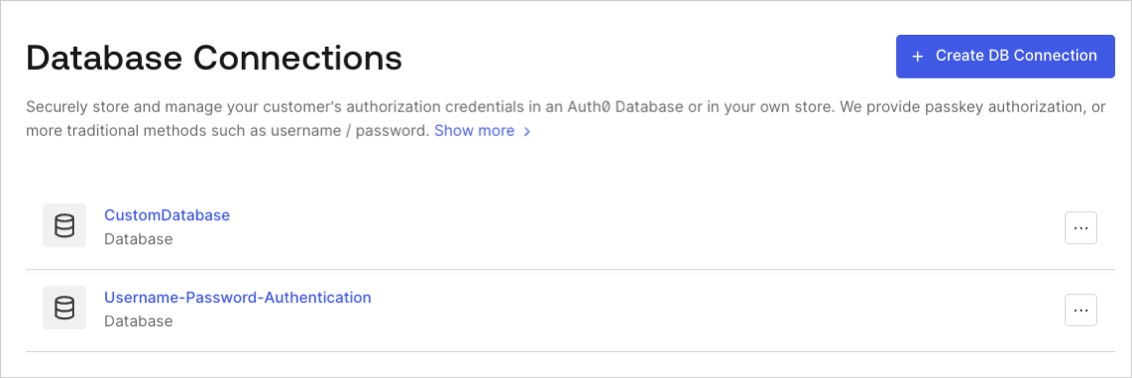
    Navigate to [Auth0 Dashboard > Authentication > Database](http://manage.auth0.com/#/connections/database), and select **Create DB Connection**.
    <Frame>
      <img src="https://mintcdn.com/generaltranslationinc/6Eil8sR_4nvgRMz0/docs/images/cdy7uua7fh8z/1Hf6ctA9xhsLOQO9IyG0VU/9061b8436368e003b165efb890d86473/DB_Connections_-_EN.png?fit=max&auto=format&n=6Eil8sR_4nvgRMz0&q=85&s=2014ab1c75fd1b13bf19fa251977ae10" alt="Dashboard - Authentication - Database - Database Connections List" width="1132" height="378" data-path="docs/images/cdy7uua7fh8z/1Hf6ctA9xhsLOQO9IyG0VU/9061b8436368e003b165efb890d86473/DB_Connections_-_EN.png" />
    </Frame>
  </Accordion>

  <Accordion icon="circle-2" title="Name the connection">
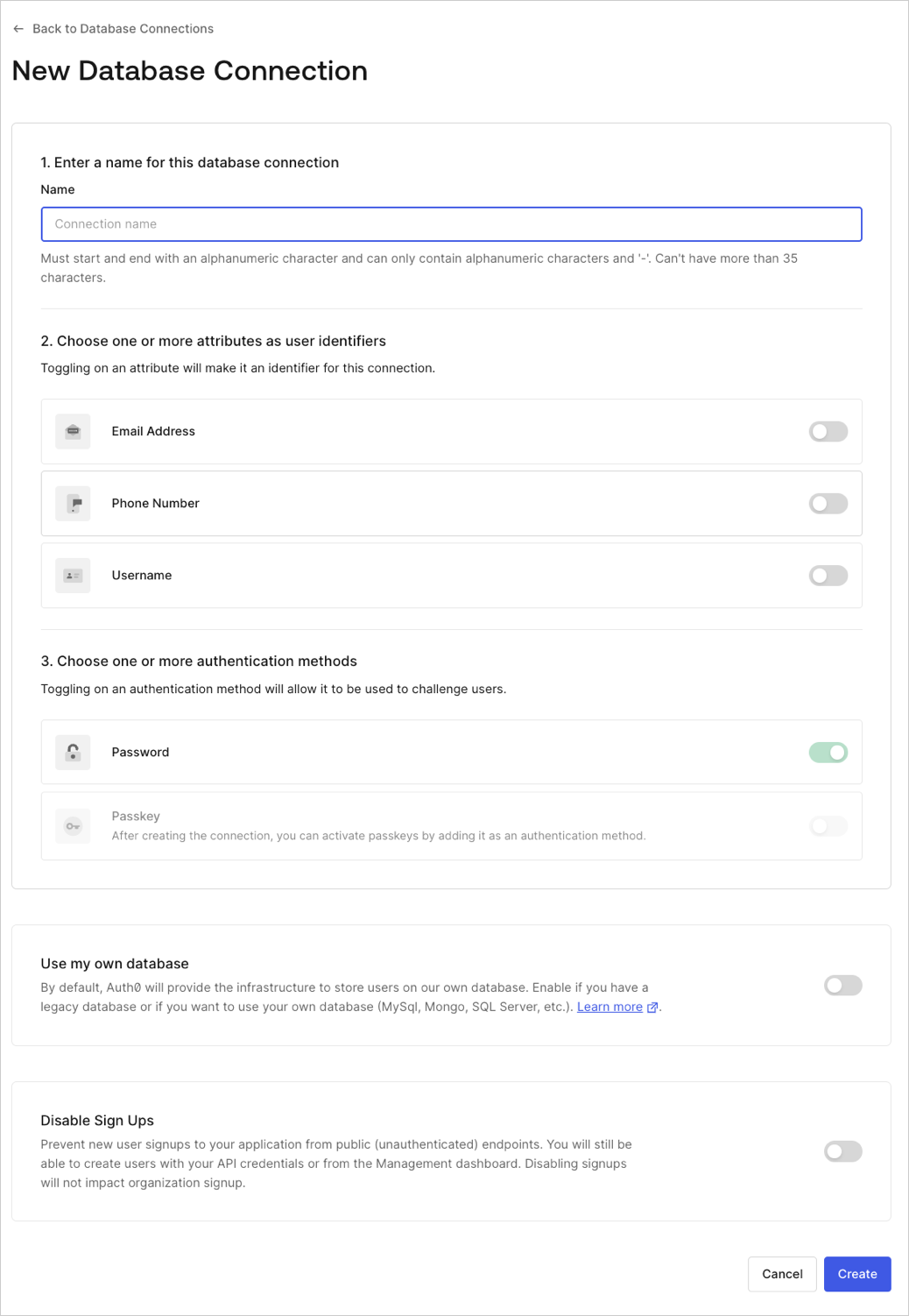
    Enter a name for your connection, and select **Create**.
    <Frame>
      <img src="https://mintcdn.com/generaltranslationinc/-mZh6I5893vkj3e3/docs/images/cdy7uua7fh8z/224NpYTYh56bICfblpAJ6O/711d7fff6565d5dff7bde62ac5bf485a/Create_Database_Connections_-_English.png?fit=max&auto=format&n=-mZh6I5893vkj3e3&q=85&s=c914b19f435f09a6056ea6189d8ff511" alt="Dashboard - Authentication - Database - New DB Connection" width="1038" height="1502" data-path="docs/images/cdy7uua7fh8z/224NpYTYh56bICfblpAJ6O/711d7fff6565d5dff7bde62ac5bf485a/Create_Database_Connections_-_English.png" />
    </Frame>
  </Accordion>

  <Accordion icon="circle-3" title="Enable the connection">
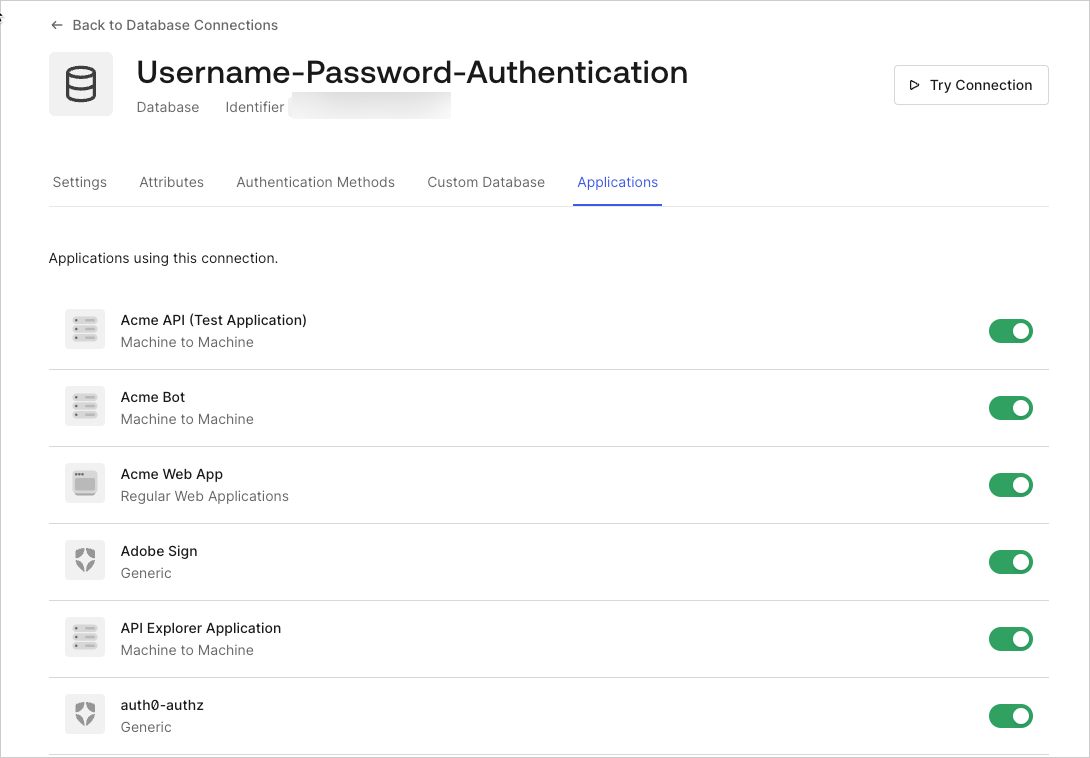
    Select the **Applications** view, enable the switch for each Auth0 application that should be able to use this connection.
    <Frame>
      <img src="https://mintcdn.com/generaltranslationinc/PZqXjqHIg9BH1QX1/docs/images/cdy7uua7fh8z/Kjd9GRzWgHJis31lQVJlW/a9fcea0cc19b6602a94971b85b155bb0/2025-02-26_14-44-12.png?fit=max&auto=format&n=PZqXjqHIg9BH1QX1&q=85&s=1c214e3219a6d5abc11fd03ce4326eb7" alt="Dashboard - Connections - Database - Edit -  View Applications" width="1090" height="758" data-path="docs/images/cdy7uua7fh8z/Kjd9GRzWgHJis31lQVJlW/a9fcea0cc19b6602a94971b85b155bb0/2025-02-26_14-44-12.png" />
    </Frame>
  </Accordion>
</AccordionGroup>

## Learn more

* [Test Database Connections](/docs/get-started/applications/test-database-connections)
