> ## Documentation Index
> Fetch the complete documentation index at: https://auth0.generaltranslation.app/llms.txt
> Use this file to discover all available pages before exploring further.

> Use the Twilio actions to send SMS and make calls using Twilio.

# Twilio

This list of Twilio actions allows you to send SMS and make calls using Twilio as provider.

## Configure your Vault connection

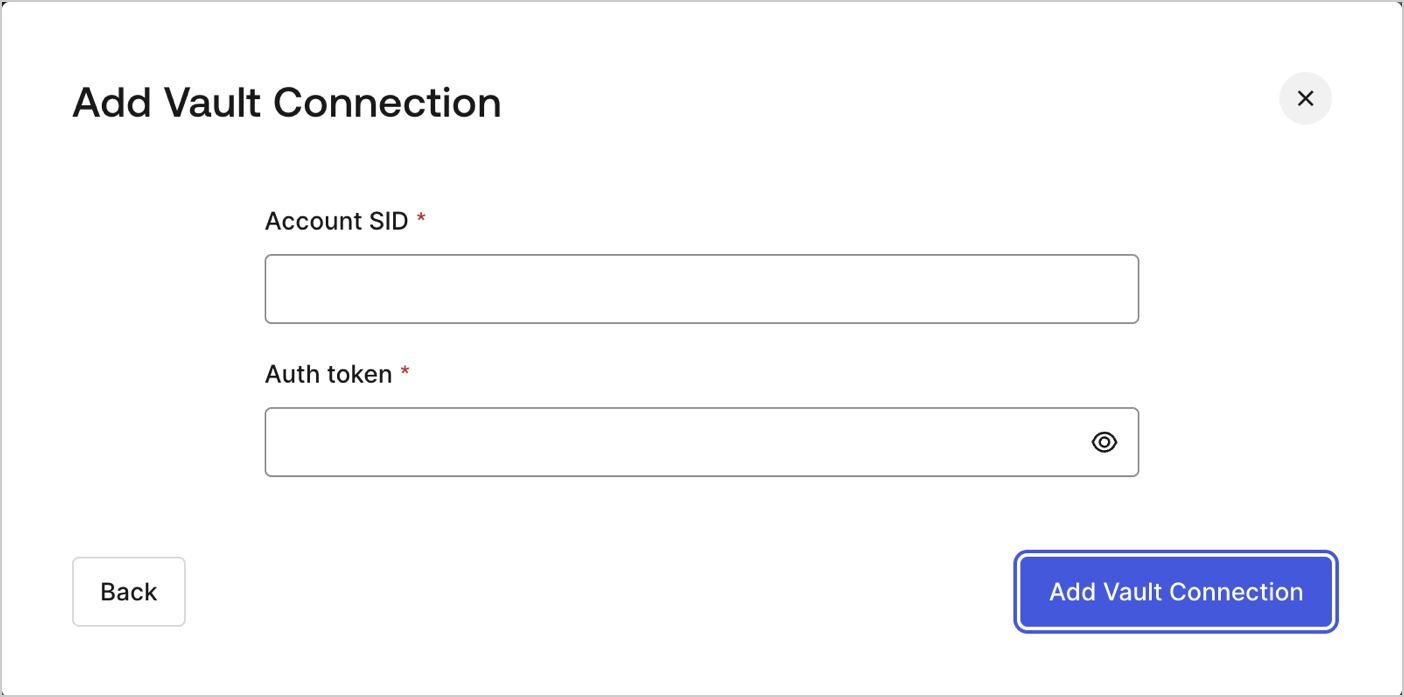
To configure a Vault connection for your Twilio actions, you will need an **Account SID** and an **Auth token**:

<Frame>
  <img src="https://mintcdn.com/generaltranslationinc/KrAMlK2KdiUaZm4a/docs/images/cdy7uua7fh8z/7MafHKBR1acJE0iGtab2J4/5f4d85a149b9dbd881b4c4558bb0e7bb/twilio-vault-connection.png?fit=max&auto=format&n=KrAMlK2KdiUaZm4a&q=85&s=ed6d74c529f227cf6edba1b021fb1316" alt="Dashboard > Actions > Forms > Flows > actions > Twilio" data-og-width="1404" width="1404" data-og-height="697" height="697" data-path="docs/images/cdy7uua7fh8z/7MafHKBR1acJE0iGtab2J4/5f4d85a149b9dbd881b4c4558bb0e7bb/twilio-vault-connection.png" data-optimize="true" data-opv="3" srcset="https://mintcdn.com/generaltranslationinc/KrAMlK2KdiUaZm4a/docs/images/cdy7uua7fh8z/7MafHKBR1acJE0iGtab2J4/5f4d85a149b9dbd881b4c4558bb0e7bb/twilio-vault-connection.png?w=280&fit=max&auto=format&n=KrAMlK2KdiUaZm4a&q=85&s=2280c96ef057fa30afdd03814dc6e8ec 280w, https://mintcdn.com/generaltranslationinc/KrAMlK2KdiUaZm4a/docs/images/cdy7uua7fh8z/7MafHKBR1acJE0iGtab2J4/5f4d85a149b9dbd881b4c4558bb0e7bb/twilio-vault-connection.png?w=560&fit=max&auto=format&n=KrAMlK2KdiUaZm4a&q=85&s=518f322337840f4315f55ec29ce327b7 560w, https://mintcdn.com/generaltranslationinc/KrAMlK2KdiUaZm4a/docs/images/cdy7uua7fh8z/7MafHKBR1acJE0iGtab2J4/5f4d85a149b9dbd881b4c4558bb0e7bb/twilio-vault-connection.png?w=840&fit=max&auto=format&n=KrAMlK2KdiUaZm4a&q=85&s=c0675f2c4db786a83a807b36fbbde9bf 840w, https://mintcdn.com/generaltranslationinc/KrAMlK2KdiUaZm4a/docs/images/cdy7uua7fh8z/7MafHKBR1acJE0iGtab2J4/5f4d85a149b9dbd881b4c4558bb0e7bb/twilio-vault-connection.png?w=1100&fit=max&auto=format&n=KrAMlK2KdiUaZm4a&q=85&s=467c94cc8b4398d4085608b8960a3b52 1100w, https://mintcdn.com/generaltranslationinc/KrAMlK2KdiUaZm4a/docs/images/cdy7uua7fh8z/7MafHKBR1acJE0iGtab2J4/5f4d85a149b9dbd881b4c4558bb0e7bb/twilio-vault-connection.png?w=1650&fit=max&auto=format&n=KrAMlK2KdiUaZm4a&q=85&s=ef347057f358d6f817fc6b9d6d6c9f00 1650w, https://mintcdn.com/generaltranslationinc/KrAMlK2KdiUaZm4a/docs/images/cdy7uua7fh8z/7MafHKBR1acJE0iGtab2J4/5f4d85a149b9dbd881b4c4558bb0e7bb/twilio-vault-connection.png?w=2500&fit=max&auto=format&n=KrAMlK2KdiUaZm4a&q=85&s=d61f76abdd11c76d06c1b69f4b8da750 2500w" />
</Frame>

They can be found at [Twilio's console dashboard](https://console.twilio.com/).

## Send SMS

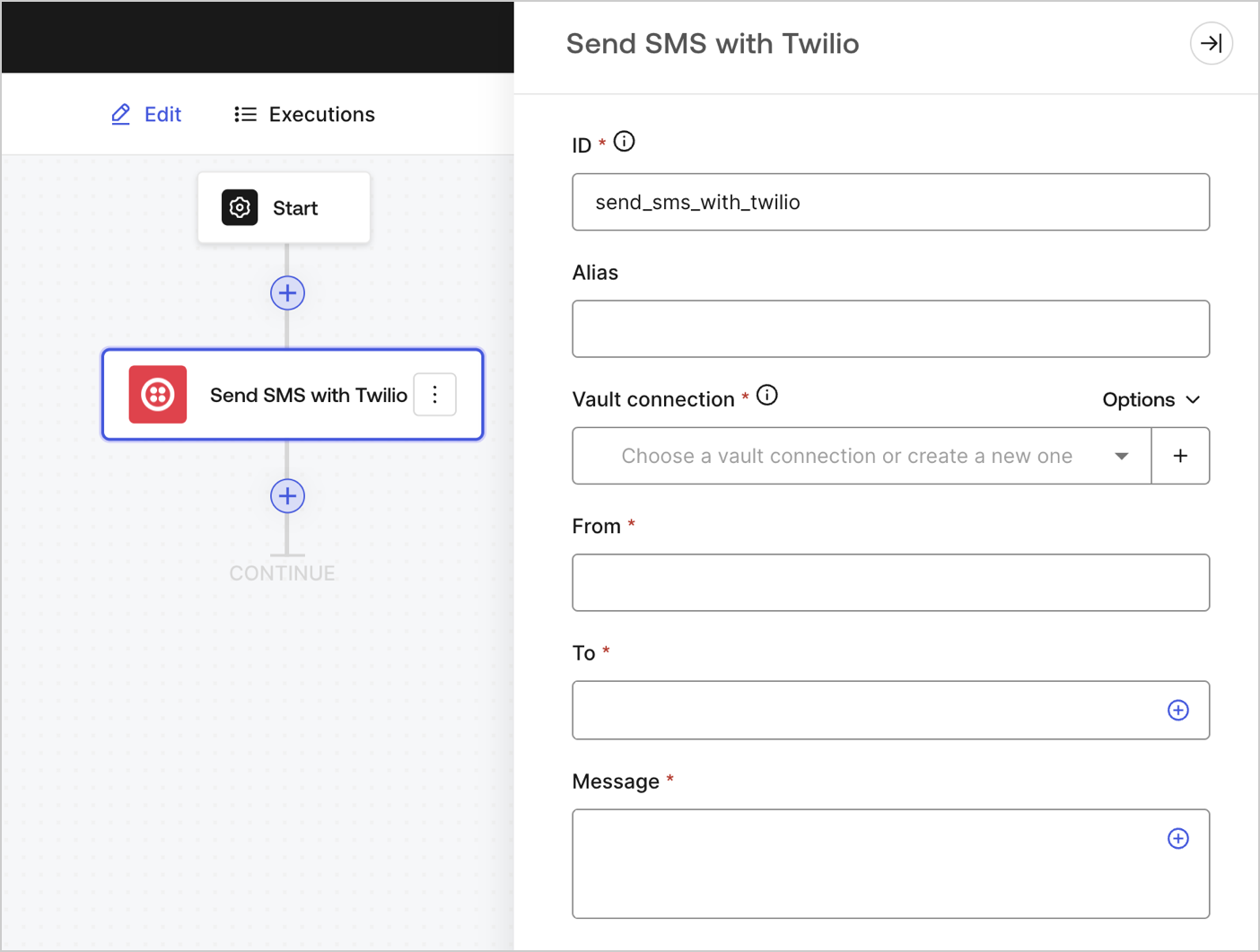
Sends an SMS.
<Frame>
  <img src="https://mintcdn.com/generaltranslationinc/Mf1t9PpRn-EsYzg5/docs/images/cdy7uua7fh8z/4lPqmcYGCJ2oRHM3GSta6w/10b0141d163e4be601c2786895486440/sendsmstwilio.png?fit=max&auto=format&n=Mf1t9PpRn-EsYzg5&q=85&s=9887e7266b931b1c1638863c137a518a" alt="" width="1404" height="1061" data-path="docs/images/cdy7uua7fh8z/4lPqmcYGCJ2oRHM3GSta6w/10b0141d163e4be601c2786895486440/sendsmstwilio.png" />
</Frame>

### Input settings

<table class="table">
  <thead>
    <tr>
      <th><b>Parameter</b></th>
      <th><b>Description</b></th>
    </tr>
  </thead>

  <tbody>
    <tr>
      <td>From (required)</td>
      <td>The name of the sender of the SMS.</td>
    </tr>

    <tr>
      <td>To (required)</td>
      <td>The destination phone number in <a href="https://en.wikipedia.org/wiki/E.164">E.164 format</a>.</td>
    </tr>

    <tr>
      <td>Message (required)</td>
      <td>The body content of the SMS.</td>
    </tr>
  </tbody>
</table>

### Output object

You can find all the expected status codes at [Twilio's documentation](https://www.twilio.com/docs/messaging/api/message-resource#message-status-values).

## Make call

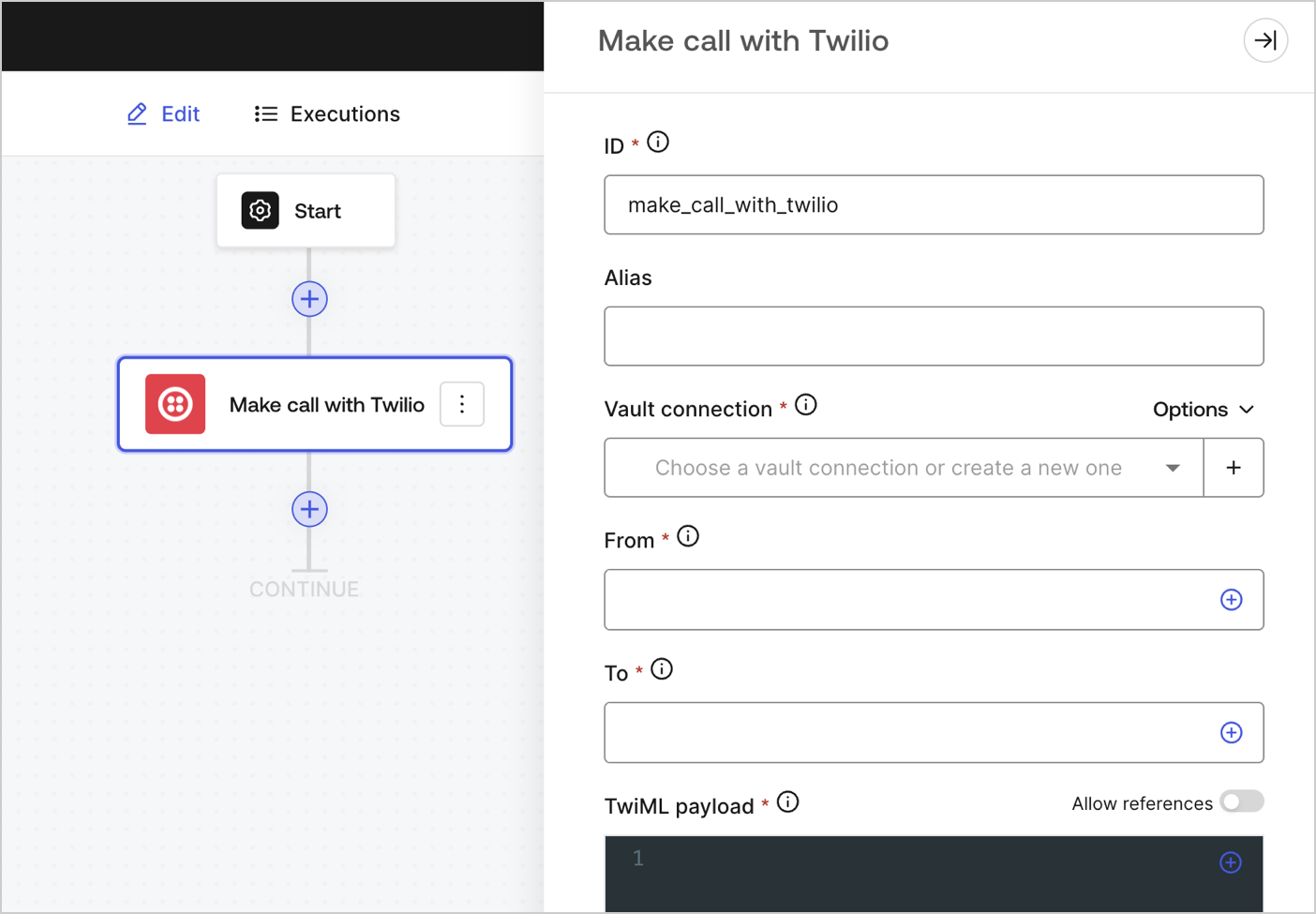
Makes a call.

<Frame>
  <img src="https://mintcdn.com/generaltranslationinc/gC1sp2cPcB7j7ynR/docs/images/cdy7uua7fh8z/4JaAbJIVuVUJY40lhQuVUN/1a1bd6143c8033c12e18fa49252bd36b/makecalltwilio.png?fit=max&auto=format&n=gC1sp2cPcB7j7ynR&q=85&s=c0d2be2e22e5876b501fa93178b28e87" alt="" width="1404" height="975" data-path="docs/images/cdy7uua7fh8z/4JaAbJIVuVUJY40lhQuVUN/1a1bd6143c8033c12e18fa49252bd36b/makecalltwilio.png" />
</Frame>

### Input settings

<table class="table">
  <thead>
    <tr>
      <th><b>Parameter</b></th>
      <th><b>Description</b></th>
    </tr>
  </thead>

  <tbody>
    <tr>
      <td>From (required)</td>
      <td>Your Twilio phone number. Country code must be included. Example: +18005550175, 1 is the country code for the United States.</td>
    </tr>

    <tr>
      <td>To (required)</td>
      <td>The destination phone number in <a href="https://en.wikipedia.org/wiki/E.164">E.164 format</a>.</td>
    </tr>

    <tr>
      <td>
        TwiML payload (required)
      </td>

      <td>
        <p>The TwiML instructions for your voice message.</p> To learn more, read <a href="https://www.twilio.com/docs/voice/twiml">Twilio's TwiML documentation</a>.
      </td>
    </tr>
  </tbody>
</table>

### Output object

You can find all the expected status codes at [Twilio's documentation](https://www.twilio.com/docs/voice/twiml).