> ## Documentation Index
> Fetch the complete documentation index at: https://auth0.generaltranslation.app/llms.txt
> Use this file to discover all available pages before exploring further.

> Learn how to configure your HTTP Request flow actions to send custom requests to external APIs or services.

# HTTP Request

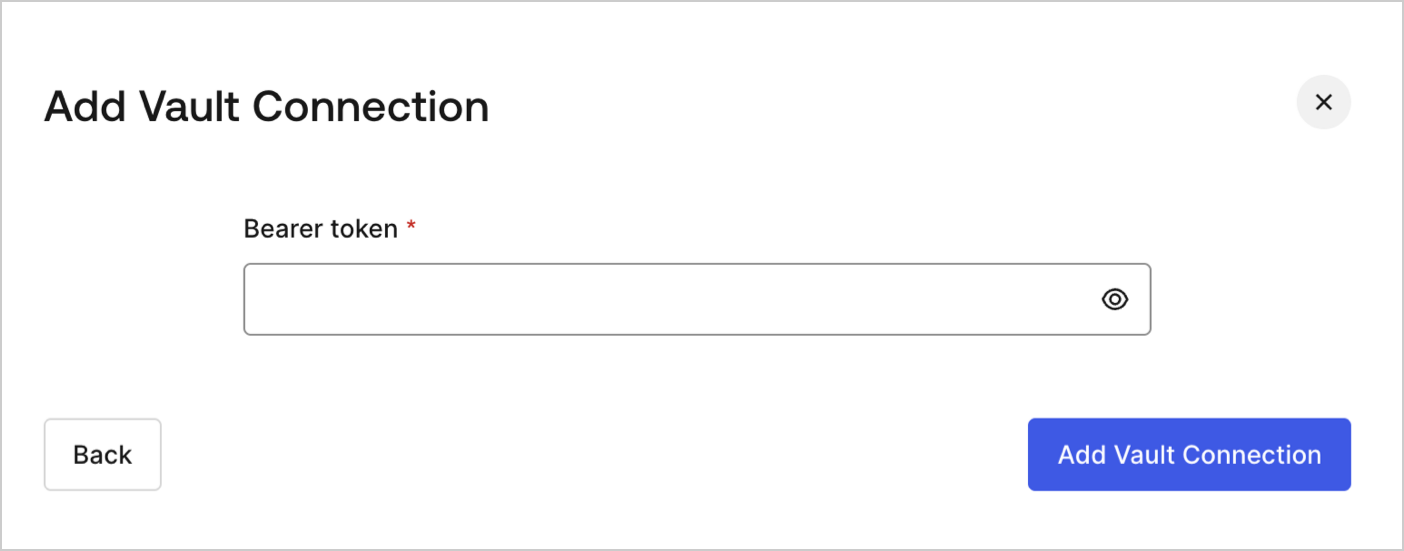
## Configure your Vault connection

To configure a Vault connection for your HTTP Request actions, you will need a **Bearer token:**

<Frame>
  <img src="https://mintcdn.com/generaltranslationinc/RMdEvk9xid_26wCJ/docs/images/cdy7uua7fh8z/3X0Qbe9o1bx8q9ctxYZTO2/468b4d9b81bad93ab38b0b01dc773788/http-vault-connection.png?fit=max&auto=format&n=RMdEvk9xid_26wCJ&q=85&s=f2103bcb0278a4985f10016526c60274" alt="Dashboard > Actions > Forms > Flows > Actions > HTTP Request " data-og-width="1404" width="1404" data-og-height="551" height="551" data-path="docs/images/cdy7uua7fh8z/3X0Qbe9o1bx8q9ctxYZTO2/468b4d9b81bad93ab38b0b01dc773788/http-vault-connection.png" data-optimize="true" data-opv="3" srcset="https://mintcdn.com/generaltranslationinc/RMdEvk9xid_26wCJ/docs/images/cdy7uua7fh8z/3X0Qbe9o1bx8q9ctxYZTO2/468b4d9b81bad93ab38b0b01dc773788/http-vault-connection.png?w=280&fit=max&auto=format&n=RMdEvk9xid_26wCJ&q=85&s=6ed759446ab7224e0cd909e3b672da1b 280w, https://mintcdn.com/generaltranslationinc/RMdEvk9xid_26wCJ/docs/images/cdy7uua7fh8z/3X0Qbe9o1bx8q9ctxYZTO2/468b4d9b81bad93ab38b0b01dc773788/http-vault-connection.png?w=560&fit=max&auto=format&n=RMdEvk9xid_26wCJ&q=85&s=f5331e1b3b9badaf7bfe882beef65ea8 560w, https://mintcdn.com/generaltranslationinc/RMdEvk9xid_26wCJ/docs/images/cdy7uua7fh8z/3X0Qbe9o1bx8q9ctxYZTO2/468b4d9b81bad93ab38b0b01dc773788/http-vault-connection.png?w=840&fit=max&auto=format&n=RMdEvk9xid_26wCJ&q=85&s=d4403d84def0f1b39ee0b5817d86edb8 840w, https://mintcdn.com/generaltranslationinc/RMdEvk9xid_26wCJ/docs/images/cdy7uua7fh8z/3X0Qbe9o1bx8q9ctxYZTO2/468b4d9b81bad93ab38b0b01dc773788/http-vault-connection.png?w=1100&fit=max&auto=format&n=RMdEvk9xid_26wCJ&q=85&s=3ba6cba7f23b0ccf8a76c4cea419232f 1100w, https://mintcdn.com/generaltranslationinc/RMdEvk9xid_26wCJ/docs/images/cdy7uua7fh8z/3X0Qbe9o1bx8q9ctxYZTO2/468b4d9b81bad93ab38b0b01dc773788/http-vault-connection.png?w=1650&fit=max&auto=format&n=RMdEvk9xid_26wCJ&q=85&s=24e9f133999f85f7608915e522ec9d7b 1650w, https://mintcdn.com/generaltranslationinc/RMdEvk9xid_26wCJ/docs/images/cdy7uua7fh8z/3X0Qbe9o1bx8q9ctxYZTO2/468b4d9b81bad93ab38b0b01dc773788/http-vault-connection.png?w=2500&fit=max&auto=format&n=RMdEvk9xid_26wCJ&q=85&s=60e56b137ea76850c86e49136f6322bc 2500w" />
</Frame>

## HTTP Request

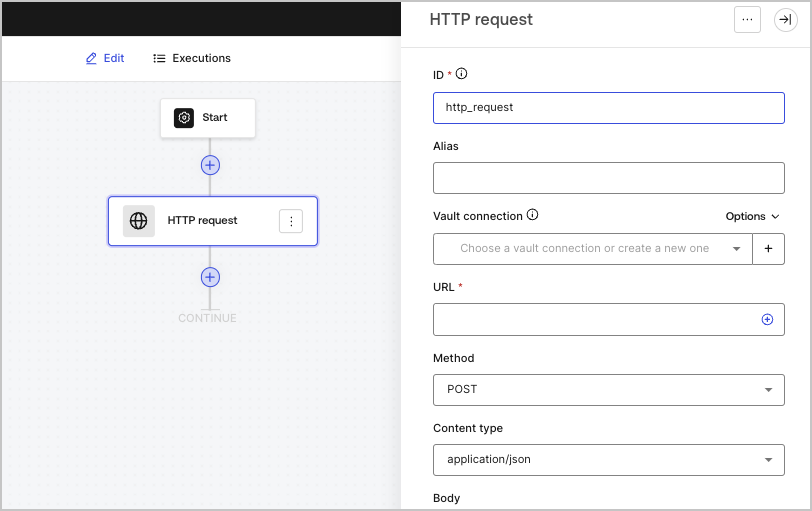
The HTTP request action lets you call an external API or service, and process the response.
<Frame>
  <img src="https://mintcdn.com/generaltranslationinc/Q_4pAdRoZm2wi1v5/docs/images/cdy7uua7fh8z/6eIOv07XenyaazzKixigei/2e9efd632137829a8ddb03aacd3197df/http-request-action.png?fit=max&auto=format&n=Q_4pAdRoZm2wi1v5&q=85&s=b420d52a229ffde6addb36b76558967a" alt="" width="812" height="511" data-path="docs/images/cdy7uua7fh8z/6eIOv07XenyaazzKixigei/2e9efd632137829a8ddb03aacd3197df/http-request-action.png" />
</Frame>

### Input settings

<table class="table">
  <thead>
    <tr>
      <th><b>Parameter</b></th>
      <th><b>Description</b></th>
    </tr>
  </thead>

  <tbody>
    <tr>
      <td>Method</td>

      <td>
        The HTTP method. Available values include:

        <ul>
          <li><code>GET</code></li>
          <li><code>POST</code></li>
          <li><code>PUT</code></li>
          <li><code>PATCH</code></li>
          <li><code>DELETE</code></li>
        </ul>
      </td>
    </tr>

    <tr>
      <td>Content type</td>

      <td>
        The <code>Content-Type</code> header. Available values include:

        <ul>
          <li><code>application/json</code></li>
          <li><code>application/x-www-form-urlenconded</code></li>
          <li><code>application/xml</code></li>
        </ul>
      </td>
    </tr>

    <tr>
      <td>Body</td>

      <td>
        The body of the request.
      </td>
    </tr>

    <tr>
      <td>Headers</td>

      <td>
        The headers of the request.
      </td>
    </tr>

    <tr>
      <td>URL params</td>

      <td>
        The URL parameters. These parameters will be automatically URL-encoded.
      </td>
    </tr>

    <tr>
      <td>Enable Basic Auth</td>

      <td>
        Enables authentication with username and password.
      </td>
    </tr>
  </tbody>
</table>

### Output object

<table class="table">
  <thead>
    <tr>
      <th><b>Property</b></th>
      <th><b>Type</b></th>
      <th><b>Description</b></th>
    </tr>
  </thead>

  <tbody>
    <tr>
      <td><code>headers</code></td>

      <td>
        Object
      </td>

      <td>
        The headers of the response.
      </td>
    </tr>

    <tr>
      <td><code>body</code></td>

      <td>
        Object
      </td>

      <td>
        The body of the response.
      </td>
    </tr>

    <tr>
      <td><code>status</code></td>

      <td>
        Number
      </td>

      <td>The status code of the response.</td>
    </tr>

    <tr>
      <td><code>success</code></td>

      <td>
        Boolean
      </td>

      <td>
        Returns <code>true</code> or <code>false</code> based on the <code>status</code> of the response.
      </td>
    </tr>
  </tbody>
</table>

### Output object example

```json lines theme={null}
{
  "headers": {
    ...
  },
  "status": 200,
  "body": {
    ...
  },
  "success": true
}
```
